Vector vs raster: Keeping logos sharp & pictures crisp
Why it matters
Ever wonder why some graphics fall apart when scaled, while others stay razor-sharp from a business card to a billboard? The difference is often file type. Understanding the distinction between vector vs raster graphics and where each performs best can determine the success of a large-format printing project.
Below, we break it into two parts:
Vector vs raster logos, what they are and when to use them
How to achieve high-resolution printed photographs at large scale

A high resolution raster image of wildflowers printed for large-scale wallpaper at Tulane University
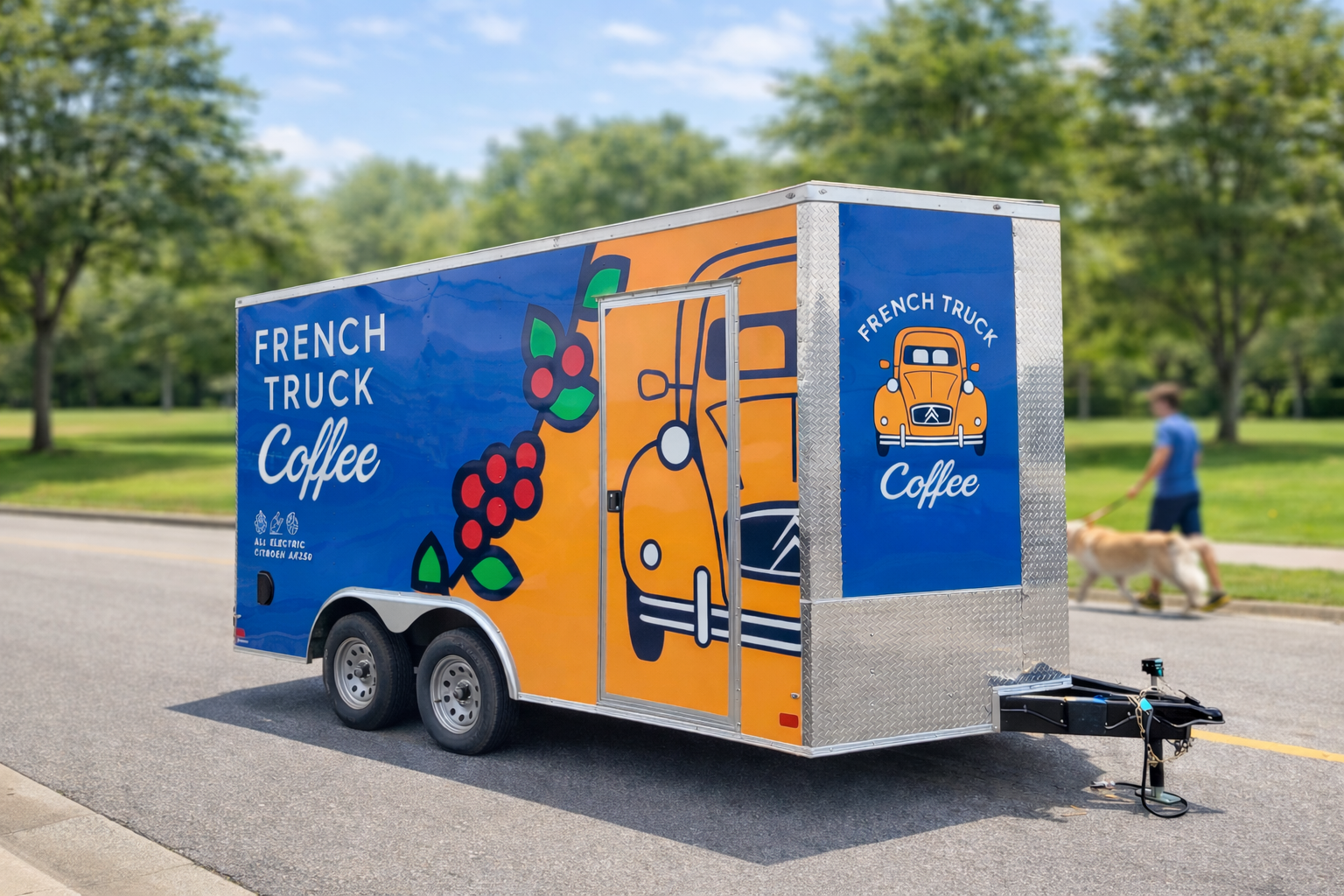
Vector graphics printed on a vehicle wrap for French Truck Coffee
Understanding the difference
Raster images
Raster images are made of individual pixels arranged in a grid. All photographs are raster files, and many commonly used design tools, like Canva and Photoshop, operate in this space. Common raster file types include .jpg, .png, .psd, .gif, and .tiff.
The limitation is scale. Raster images have a ceiling on how large they can scale before quality loss becomes noticeable. Enlarge a raster file beyond its intended resolution and pixels become visible. Edges soften, text blurs, and detail fades. Therefore, raster images are not ideal for company logos, which should seamlessly transition from embroidered patches to banners, billboards, and vehicle wraps.
Vector graphics
Vector graphics are built from mathematical paths, meaning lines, curves, and anchor points define shapes instead of pixels. Because of this, they scale infinitely without losing clarity. A vector logo can move seamlessly from a printed business card to a building sign with no degradation.
Files created in programs like Adobe Illustrator and saved as .ai, .pdf, or .svg are true vector graphics. However, simply saving a raster file that has already been created in one of these formats does not convert it to vector.
Vector renderings of a logo or graphic are also needed in signage fabrication projects, such as monument signage, channel letters, and dimensional logos. Mathematical paths that define logo shapes need to be processed by a computer before metals, plastics, and foam are cut to your exact specification.
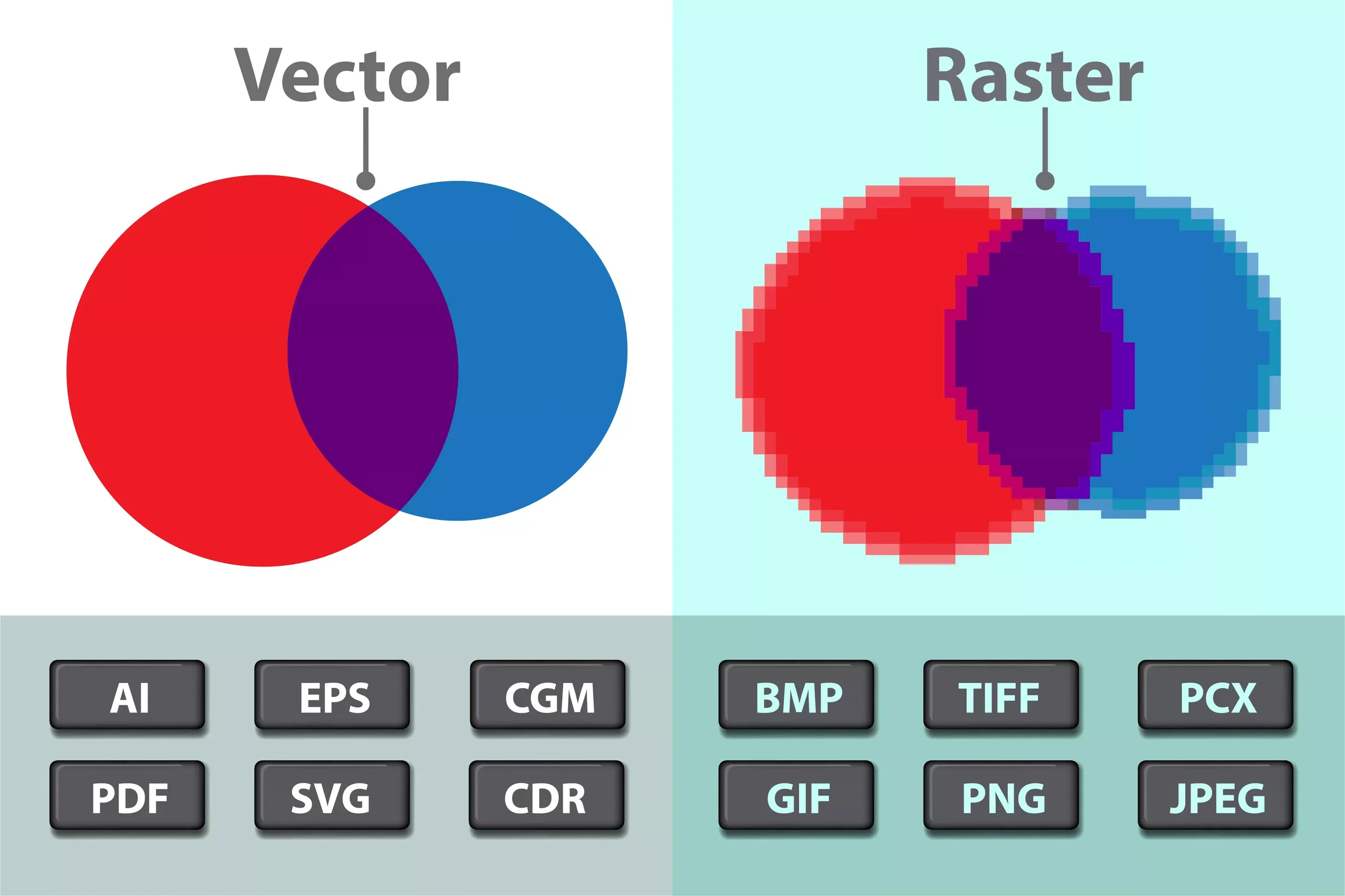
How to convert your raster logo to a vector
Not every client has a clean, production-ready logo file. Over time, files get resized, compressed, or lost. Sometimes the only version left is a low-resolution image pulled from a website or an old print piece.
That’s where OPA Signs & Graphics steps in.
Raster pixels cannot become vector paths without intervention, but through vector redraws, intelligent upscaling, and careful manual refinement, artwork can be rebuilt. We trace and reconstruct the original design, restoring sharpness and creating an editable, scalable file ready for print or fabrication at any size.
When you need a photo: Why resolution matters in large format image printing
When considering vector vs raster, vector files offer a clear advantage for elements that need to scale. However, many projects, including vehicle wraps, murals, and environmental graphics, depend on photography. These images must be raster, and their success depends largely on starting resolution.
Once a photo is captured or saved at low resolution, lost detail cannot simply be recovered by enlarging it.
That being said, OPA can often improve existing files. Using a combination of advanced upscaling tools and hands-on adjustment, we can often bring images close to their original clarity. The best results, however, come from planning ahead and capturing or sourcing images at the correct resolution from the start.
We are happy to guide clients on image specifications early in the process to ensure sharp, high-quality results without the need for correction later.
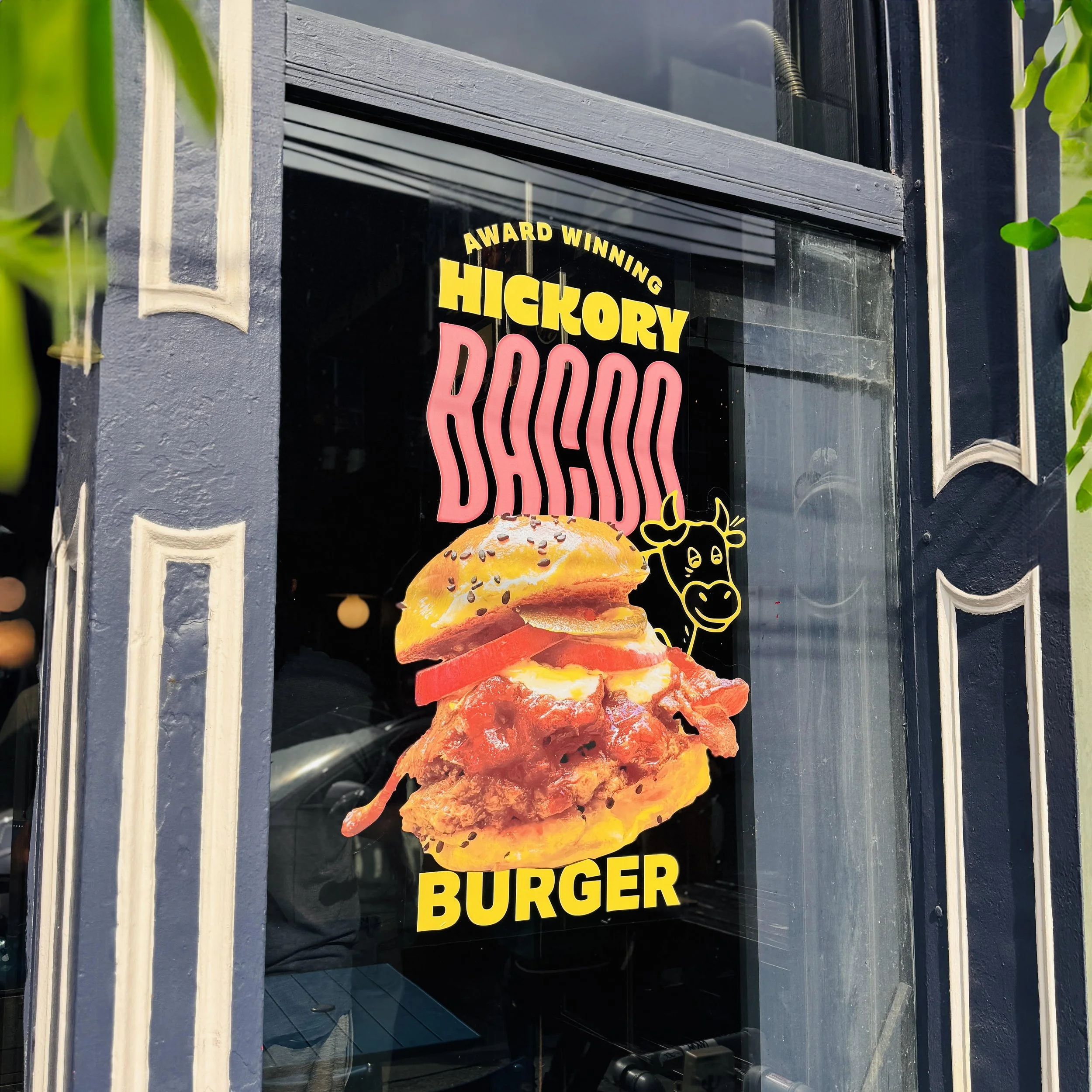
A large format printed window advertisement for District Donuts, featuring vector lettering and cartoon cow and a raster image of a burger
Beyond vector vs. raster: Other factors that affect print quality
Vector vs raster graphics file formats and image resolution are the primary factors that determine print quality, but others have impact on how graphics performs at scale:
Color mode: RGB is designed for screens and offers a wide color range, while CMYK is built for print. Designing in CMYK helps ensure accurate color reproduction.
File compression: Lossy formats like JPEG reduce file size by discarding data, which can become visible at scale. Lossless formats like TIFF or PNG preserve detail and are better suited for production.
Bleed and safe zones: Artwork should extend beyond trim edges to avoid unprinted borders keeping critical content stays safely within margins.
OPA can help
A single logo may need to perform across business cards, storefront signage, and large-scale installations. When the source file follows best practices from the start, that transition is seamless.
With 50 years of experience, OPA Signs & Graphics evaluates every file, identifies potential issues on vector vs raster graphic assets, and prepares artwork for production at any scale. Our goal is simple. Your graphics should grow with your business, looking exactly as intended on your screen, in your palm, or on a billboard.
Contact our team to start the conversation.

Raster art by Brent Houzenga, enlarged by OPA and printed on wood for custom interior fixtures in a New Orleans commercial rental property